In This Article
A light pad for animation is a slim, evenly lit LED panel that sits under your drawing paper so you can see earlier frames through the sheet you are working on. It replaces the old studio lightbox with something that fits in a rucksack, runs from USB or the mains and costs a fraction of a desk-sized rig.

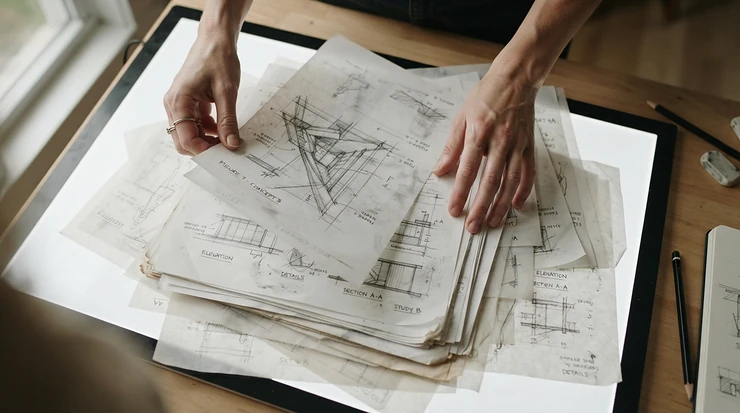
Here’s the thing about hand-drawn motion: your eyes lie. Draw a bouncing ball in isolation and every frame looks fine, but flip the pages and the ball wobbles like a jelly on a night bus. A light pad for animation fixes that by letting the previous drawing ghost through the next sheet. Animators call the trick onion skinning, and it began on thin translucent paper long before software borrowed the name.
If you’re shopping in the UK, the market is noisy. Listings shout lux figures that can’t be compared like for like, call every slab of acrylic “professional”, and rarely mention whether the plug suits a British socket. This guide cuts through that. I’ve compared seven real models across budget, mid-range and premium tiers, using published specs and aggregated review sentiment from sources I could verify. Where I couldn’t verify something, I say so rather than guess.
Whether you’re making frame animation for a student film, assembling an animator toolkit on a shoestring, or hunting for an animation drawing tablet accessory that adds paper to your digital workflow, the right pad makes the work faster and the motion smoother. Price ranges below are indicative, so always check the current price before buying.
Light Pad for Animation at a Glance: Quick Comparison
| Product | Size | Power | Listed brightness | Price range | Best For |
|---|---|---|---|---|---|
| Huion L4S | A4 | USB | Up to 1,500 lux | £35–£55 | Reliable all-rounder |
| LitEnergy A4 LED Copy Board | A4 | USB | 4,000–5,000 lux (claimed) | Under £20 | Beginners and tight budgets |
| HSK A3 LED Artist Tracing Light Box | A3 | USB | 6,000 lux | £30–£50 | Larger drawings on a budget |
| Huion LB4 | A4 | USB or built-in battery | Not verified | £45–£70 | Cordless sketching |
| Daylight Wafer 2 A3 | A3 (44 x 32 cm lit area) | Mains | Around 6,000 lux listed | £70–£95 | Premium, colour-true A3 work |
| Artograph LightPad 940 LX | 12 x 17 in | Mains | 500–5,000 lux (maker copy) | £120–£220 | Studio-grade durability |
| WELZK 7000+ Lux A1 Light Pad | A1 | Mains | 7,000+ lux | £70–£130 | Large layouts and storyboards |
Looking at the comparison above, the LitEnergy A4 LED Copy Board is the obvious entry point, but the Huion L4S earns its premium through brightness memory and a predictable A4 footprint. If your paper is bigger, the HSK A3 LED Artist Tracing Light Box and the Daylight Wafer 2 A3 split the difference between price and polish. Treat every lux figure with caution, because sellers don’t measure brightness the same way.
💬 Just one click — help others make better buying decisions too!😊
Top 7 Light Pad for Animation Picks: Expert Analysis
1. Huion L4S — dependable A4 with silky stepless dimming
The standout here is the dimming. Brightness slides rather than clicks, so you can tune the glow to one thin sheet or a stack of three without hunting between presets.
The Huion L4S is a USB-powered A4 panel with a lit area of roughly 310 x 210 mm, a body about 5 mm thick and a maximum of 1,500 lux. That figure looks modest beside the 5,000-lux claims on cheaper listings. But 1,500 lux is ample for standard animation paper, and a lower ceiling means less glare in a dim room. It also remembers its last brightness setting, which spares you the morning fiddle.
Based on the spec comparison, this suits anyone working at A4 who values predictability over bragging rights. A4 means A4 here, and the brand’s graphics-tablet pedigree suggests dependable support. The catch is paper size: larger animation sheets overhang the lit area, so you’ll be drawing through a window rather than across the whole page.
On reviews, aggregated 2026 roundup sentiment is positive. One gallery-blog guide names it the best all-round A4 pad, while noting that its marketing leans towards crafters. I couldn’t verify a deep pool of UK-specific reviews, so treat that as indicative rather than definitive.
Pros:
- ✅ Stepless dimming with brightness memory
- ✅ Honest A4 lit area in a 5 mm body
- ✅ Established brand with a solid reputation
Cons:
- ❌ Lit area too small for larger animation sheets
- ❌ No built-in battery, so a cable is essential
Expect roughly £35–£55 (check current price). For the build and the memory function, it’s good value.
2. LitEnergy A4 LED Copy Board — the cheapest sensible way in
The standout is price-to-capability. For under £20 you can find out whether paper animation is your thing before committing serious money.
Listings and roundups quote 4,000–5,000 lux (a seller claim I haven’t verified), a 0.2-inch (5 mm) body, USB power and touch dimming. In practice, that headroom means the LitEnergy A4 LED Copy Board can push light through a stack of sheets. You’ll want to dial it down for single drawings so your pencil lines don’t wash out.
Here’s what to weigh. This is a pad for students, flipbook makers and anyone starting a first animator toolkit. It’s a lovely classroom for learning frame animation basics, but A4 is the ceiling. Budget pads in this tier also tend to be less rugged than aluminium-framed models, so treat it as a desk tool rather than a travelling workhorse.
Reviewer sentiment, as aggregated by third-party roundups in 2026, is favourable. The pad appears repeatedly as a bestseller or editor’s choice at around 4.5 stars. That’s second-hand data I haven’t audited, so skim recent UK reviews on the listing before you buy.
Pros:
- ✅ Very low cost of entry
- ✅ Slim enough to slide into a sketchbook bag
- ✅ Touch dimming for single or stacked sheets
Cons:
- ❌ Budget-tier build, less rugged than aluminium
- ❌ A4 only, so bigger sheets need sectional work
Expect under £20 (check current price). It’s outstanding value if A4 suits your paper.
3. HSK A3 LED Artist Tracing Light Box — A3 room with a lock button
The standout is the lock button, which freezes brightness so a sleeve or wrist can’t nudge a touch control mid-line.
The HSK A3 LED Artist Tracing Light Box offers an A3 surface, a listed 6,000 lux, stepless dimming and USB power. In plain terms, you get room for drawings that would spill off an A4 pad, plus enough output to see through several sheets. Check the lit area rather than the outer dimensions against your paper, since the frame eats a few millimetres.
Here’s what most buyers overlook: touch-sensitive controls are lovely until your hand brushes them, which is exactly why the lock matters for long inking sessions. For frame animation at a larger scale, this is a sensible middle path between a cheap A4 pad and a premium A3 board.
Reviewer sentiment in 2026 roundups is strong. One A3-focused guide gave it 4.7 stars and its editor’s choice, while a separate guide notes that HSK’s touch-dimmer and button controls can feel slower to adjust than a quick slider. Both are third-party summaries, so confirm against current UK listing reviews.
Pros:
- ✅ A3 working area for larger drawings
- ✅ Lock button prevents accidental brightness changes
- ✅ Strong output for stacked sheets
Cons:
- ❌ Touch controls slower than a simple slider
- ❌ A3 pad crowds a small desk
Expect roughly £30–£50 (check current price). That’s excellent value for A3.
4. Huion LB4 — cordless A4 for sofas and train tables
The standout is the built-in battery option, which frees you from the nearest plug.
The Huion LB4 is described as an upgraded take on Huion’s traditional pad: A4 size, about 8 mm thick, powered by USB or an internal lithium battery. Cordless matters more than it sounds. It means you can rough out frames on a train table, a lap or a café counter without hunting for a socket or trailing a cable across your sketchbook.
The catch is that I couldn’t verify battery runtime or brightness figures from reliable sources. Before buying, check the current listing for both, and assume the battery will need topping up after a long session. Compared with the Huion L4S, you’re paying for portability and accepting a slightly thicker body.
On reviews, I couldn’t find enough independent, verifiable review data to summarise sentiment honestly. That’s a reason to read recent UK buyer reviews yourself rather than trust a star rating in isolation. This is a light pad for animation best suited to people who sketch away from a desk, not those who animate at one all day.
Pros:
- ✅ Built-in battery for cordless sketching
- ✅ Slim 8 mm body fits a bag
- ✅ Familiar brand with graphics-tablet heritage
Cons:
- ❌ Thicker than the USB-only Huion L4S
- ❌ Battery runtime hard to verify from sources
Expect roughly £45–£70 (check current price). The value depends entirely on whether you’ll use the battery.
5. Daylight Wafer 2 A3 — daylight-true premium with a generous lit area
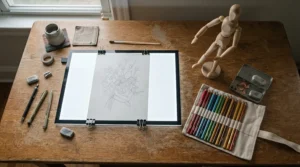
The standout is the lit area. At about 44 x 32 cm it comfortably covers the common 15 x 12-inch animation sheet.
Published specs for the Daylight Wafer 2 A3 include an 8 mm body, 6,000K daylight LEDs with a CRI of 80+, a continuous touch dimmer with memory and an LED rated for 50,000 hours. It’s mains-powered with a cable around 1.8 m, weighs about 1.6 kg and has inch and centimetre marking guides along the sides. Those guides are handy for aligning paper without a ruler.
Here’s what the spec sheet won’t tell you, but the numbers imply: neutral daylight light is kinder when you’re colouring or checking paper tones, and mains power means steady output that won’t sag. The trade-off is portability. This is a pad that lives on your desk.
I couldn’t find a deep pool of independent animator reviews, so build and evenness claims here rest mostly on manufacturer fact sheets and retailer pages. Trade fact sheets are consistent with each other on specs, which is reassuring but not a substitute for real-world feedback.
Pros:
- ✅ Generous lit area fits larger animation paper
- ✅ Daylight LEDs with memory dimming
- ✅ Long-rated LED life for years of use
Cons:
- ❌ Mains-only, so no cordless working
- ❌ Heavier and pricier than USB pads
Expect roughly £70–£95 (check current price). It’s strong value for a dedicated A3 desk setup.
6. Artograph LightPad 940 LX — studio-grade aluminium that lasts
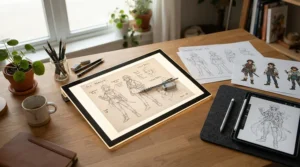
The standout is the frame. It’s extruded aluminium with chrome steel corners, built to survive years of classroom or studio abuse.
The Artograph LightPad 940 LX has a 12 x 17-inch surface (about 305 x 432 mm), and the maker’s product copy describes adjustable brightness from 500 to 5,000 lux with LEDs rated up to 50,000 hours. Figures vary across sources, with some Artograph pages listing 9,000 lux for the LX range, so check the listing you’re buying. A roundup also describes cool white light at 6500K.
On paper this is the pad for people who animate daily and want something that won’t flex or crack. As a US brand, it’s often imported, so confirm the listing includes a UK plug and power supply and check the warranty terms.
Aggregated sentiment is mostly positive. A US art retailer’s page shows around 4.5 out of 5 for this model, and reviews of the LX line praise even light distribution. One reviewer of the smaller 930 LX reported a power socket contact breaking after only a few plug-ins, which is worth treating as a single data point rather than a pattern.
Pros:
- ✅ Sturdy aluminium frame built for heavy use
- ✅ Large 12 x 17-inch lit surface
- ✅ Even light reputation among professional users
Cons:
- ❌ Highest price in this guide
- ❌ US brand, so check UK plug and warranty
Expect roughly £120–£220 depending on seller (check current price). It’s best justified by daily use.
7. WELZK 7000+ Lux A1 Light Pad — a vast canvas for layouts
The standout is sheer size: an A1 surface that handles storyboards, background layouts and long pans.
The WELZK 7000+ Lux A1 Light Pad is listed at roughly 87 x 58 cm, with 7,000+ lux, three colour temperature settings, 10 levels of stepless dimming and physical buttons. Physical buttons are underrated: they’re easier to find by feel than a touch strip when you’re mid-drawing.
Be honest about the use case. For single character frames, an A1 pad is overkill and eats desk space. For layout work, panoramic backgrounds or classroom demonstrations, it’s the only pad in this guide that lets you see the whole composition at once. Check the listing includes a UK plug, since some versions are listed with US-style adapters.
Roundups call it the best extra-large option, praising brightness and size. Independent long-term reliability data is thin, so I’d treat a pad this big as a considered purchase and read recent UK reviews carefully before committing.
Pros:
- ✅ Huge A1 working area for layouts
- ✅ Three colour temperature settings
- ✅ Physical buttons easy to use mid-drawing
Cons:
- ❌ Needs a very large desk and storage space
- ❌ Thin long-term reliability data
Expect roughly £70–£130 (check current price). It’s worth it only if you genuinely need the size.
✨ Don’t Miss These Top Picks!
🔍 Take your light pad for animation setup to the next level with these carefully selected options. Click any highlighted product name to check current pricing and availability, then pair your pick with a peg bar and some punched paper to build a proper animator toolkit.
How to Set Up Your Light Pad for Animation: A Practical First-Week Guide
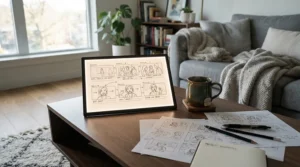
A pad on its own isn’t a workstation. Start by propping the back of the pad on a book or two. An inclined surface is kinder to your wrist and neck, and it keeps your head from hovering over the paper.
Next, tape a peg bar to the top edge of the lit area. Animation drawings must be registered so they don’t jiggle when you flip or scan them. Standard animation paper has three peg holes, a round centre one and rectangular outer ones, and your peg bar must match. Two systems dominate: the industry-standard Acme bar, and a round-peg bar that suits ordinary three-hole-punched copy paper.
Then work through a simple routine:
- Start dimmer than you think. Raise brightness only until the lowest drawing in your stack becomes legible.
- Punch a stack of paper in one go, so every sheet has identical registration.
- Number each drawing in a corner, because forgetting your own sequence is a rite of passage.
- Flip your stack after every few drawings to catch wobble early.
For maintenance, wipe the surface weekly with a dry microfibre cloth, check the cable for kinks monthly, and store the pad flat. In your first 30 days, the most common mistake is blasting the brightness to maximum and then wondering why pencil lines vanish. Remember, onion skinning works best when the previous drawing is a whisper, not a shout.
Real-World Scenarios: Matching a Light Pad for Animation to Your Life
Specs only mean something in context, so here are three profiles.
The student in a shared flat. Limited desk space, a budget under £50 and animation three evenings a week. The LitEnergy A4 LED Copy Board with a round peg bar and three-hole punched paper is a sensible start. A4 keeps the footprint small, and the low cost leaves room for decent paper and pencils. If the student later commits to hand-drawn frame animation, an upgrade to the HSK A3 LED Artist Tracing Light Box is the natural next step.
The freelance 2D animator. Daily A3 character roughs at a fixed desk, with long sessions where colour accuracy and steady output matter. The Daylight Wafer 2 A3 fits well, with its 44 x 32 cm lit area covering larger paper and its memory dimmer saving setup time. If the budget stretches and durability matters most, the Artograph LightPad 940 LX is the studio-grade alternative.
The commuting illustrator. Two hours a day on trains, sketching animation roughs in a notebook. Cordless matters here, so the Huion LB4 makes sense, provided you confirm battery runtime on the listing. Pair it with a lightweight peg setup that fits a sketchbook bag.
If you teach or run workshops, the WELZK 7000+ Lux A1 Light Pad gives a whole group a shared canvas for storyboards.
Problem → Solution Guide: Fixing Common Light Pad Headaches
Even a good light pad for animation throws up problems. Here are the usual suspects and how to deal with them:
- Pencil lines look washed out. The pad is too bright. Dim it until the line you’re drawing holds its contrast, and reserve maximum brightness for stacks of thick paper.
- You can’t see the drawing underneath. Raise brightness gradually, switch to thinner animation paper, or use a darker pencil for key poses. A brighter pad like the HSK A3 or WELZK A1 gives more headroom for stacks.
- Paper keeps slipping. Tape your peg bar firmly to the top edge, and punch every sheet with the same punch. Loose paper is the number-one cause of wobbly animation.
- Glare tires your eyes. Work in a dimmer room, lower the pad’s brightness and take regular breaks. A pad with a lower ceiling, like the Huion L4S, is gentler in low light.
- The pad flickers or dims. USB pads can behave oddly on underpowered laptop ports, so try a wall adapter instead. Check the cable is fully seated.
Notice a pattern? Most problems come down to brightness, registration or power, not faulty hardware.
How to Choose a Light Pad for Animation: 6 Steps
The best light pad for animation is the one that matches your paper size, offers smooth dimming and suits where you’ll actually work. Follow these steps:
- Match the lit area to your paper. Measure the lit surface, not the outer frame. A4 suits sketchbook-sized work, while A3 or larger suits full animation sheets.
- Prefer stepless dimming. Gradual control lets you tune for single sheets or stacks. Fixed levels often jump too far.
- Pick a power source for your routine. USB suits desks and power banks, mains suits fixed studios, and a battery suits travel.
- Check thickness and surface. Slim pads (5–8 mm) travel easily, and a scratch-resistant acrylic surface lasts longer under pencil pressure.
- Plan for peg bars. Make sure there’s room to tape a peg bar to the top edge without losing too much lit area.
- Verify UK suitability. Look for a UK plug, a UKCA or CE mark and clear warranty terms.
Do this and you’ll sidestep most of the regret that follows an impulse purchase.
Onion Skin Light Pad vs Digital Onion Skinning
An onion skin light pad does physically what software does digitally. It lets you see faint copies of adjacent drawings while you work on the current one. Adobe’s UK guide to onion skinning traces the term back to the semi-transparent paper used in early studios, and the same principle holds today.
Why choose paper? It’s tactile, distraction-free and has no battery to run flat. Why choose software? Layers, undo and instant playback. Many animators use both, roughing on paper over an onion skin light pad and finishing digitally.
| Method | Strength | Weakness | Best For |
|---|---|---|---|
| Light pad + paper | Tactile, affordable, portable | Needs peg bar and paper | Beginners and traditional animators |
| Taped to a window | Free | Daylight only, awkward angle | Quick experiments |
| Drawing tablet with onion skinning software | Undo, layers, instant playback | Higher cost, screen fatigue | Digital-first animators |
| Full animation desk | Studio workflow | Expensive, bulky | Professional studios |
A light pad strikes the best balance of cost and feel for most people, especially if you’re learning timing and spacing. A drawing tablet wins on convenience, while a window works only until the sun moves. For serious onion skinning practice on paper, an onion skin light pad is the sweet spot.
Animation Drawing Tablet Accessory: Where a Light Pad Fits Digital Workflows
A light pad is a surprisingly useful animation drawing tablet accessory, even though it works with paper. Here’s the logic: many animators now rough out key poses on paper, then scan or photograph them and clean up digitally. The pad provides the see-through stage, and the tablet handles colour and compositing.
If you scan, tape a peg bar to the pad so every sheet is registered identically. That keeps your scanned frames aligned and saves hours of repositioning later. You can also use the pad to transfer a printed storyboard or reference onto fresh paper before inking.
Think of the pad as the bridge between sketchbook and screen. It doesn’t replace your tablet; it makes the paper stage faster and cleaner. For this role, a compact pad like the Huion L4S or LitEnergy A4 LED Copy Board sits happily beside a tablet, while a larger Daylight Wafer 2 A3 suits animators who rough at bigger scale.
The best animation drawing tablet accessory is the one you’ll actually use daily, so prioritise size and power source over headline specs.
Frame Animation on Paper: Building a Workflow That Scales
Frame animation is simple in theory and relentless in practice. At 24 frames per second, drawing on ones means 24 drawings per second of film, while drawing on twos halves that to 12. A ten-second clip is therefore 120 to 240 drawings, and your workflow needs to survive that volume.
Work pose to pose. Draw your key poses first, then use the pad to sandwich inbetweens between them. Keep drawings numbered, and use exposure sheets to track timing if you’re serious. Flip your stack regularly: nothing exposes poor spacing faster.
The pad itself matters here. A model with memory dimming, like the Huion L4S or Daylight Wafer 2 A3, saves a minute each session, which adds up over hundreds of drawings. A reliable build matters too, because a pad that flickers mid-sequence interrupts your rhythm. The Artograph LightPad 940 LX earns its keep through durability for this kind of repetitive work.
Good frame animation depends on consistency, so build habits early: the same peg bar, the same paper, the same brightness. Your future self will thank you.
Building Your Animator Toolkit Around the Pad
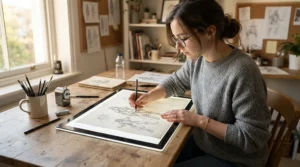
A proper animator toolkit starts with the pad but doesn’t end there. Here’s what completes it:
- Animation paper. Thin enough to see through, tough enough to erase, and punched to match your peg bar. Professional paper comes in larger “12 field” and “16 field” sizes, while A4 is common for beginners.
- A peg bar. Acme for studio-standard paper, round for ordinary three-hole punched sheets. Tape it firmly to the pad.
- A hole punch. A standard three-hole punch works with round pegs, while a dedicated animation punch suits Acme paper.
- Pencils and erasers. Many animators use different coloured pencils for keys and inbetweens.
- A scanner or phone. For line tests and digital clean-up.
- Exposure sheets. To track timing across long sequences.
Pair a LitEnergy A4 LED Copy Board with a round peg bar and a three-hole punch and you have a working setup for very little outlay. Step up to the HSK A3 LED Artist Tracing Light Box or Daylight Wafer 2 A3 when your drawings outgrow A4. The pad is the centrepiece of your animator toolkit, but the peg bar and paper make it work.
Features That Actually Matter (And Those That Don’t)
What matters:
- Stepless dimming. It gives precise control and prevents glare.
- Lit area, not frame size. Always check the visible surface against your paper.
- Even light. Hotspots or dark edges ruin tracing accuracy.
- Stable power. Flicker is distracting and tiring.
- A scratch-resistant surface. Pencil pressure adds up.
What doesn’t:
- Headline lux figures. The Huion L4S tops out at 1,500 lux, while cheaper listings claim 5,000, yet both can work for animation paper. Sellers measure lux differently, so don’t compare across brands.
- Colour temperature modes. Handy for colouring, irrelevant for pencil roughs. The WELZK 7000+ Lux A1 Light Pad offers three, but most animators leave it on one.
- Carrying bags and ruler marks. Nice extras, not deciding factors.
The honest rule: pick on size, dimming quality and power, then check the rest. A pad with modest brightness and smooth control beats a blinding one with fiddly buttons every time.
Common Mistakes When Buying a Light Pad for Animation
Even sensible buyers trip up. These are the usual pitfalls:
- Buying by lux alone. A bigger number doesn’t mean a better pad, and it can mean more glare.
- Choosing A4 for larger paper. If your animation sheets are 15 x 12 inches, A4 will feel cramped. Consider A3 options like the HSK A3 LED Artist Tracing Light Box.
- Ignoring the plug. Imported models like the Artograph LightPad 940 LX may arrive with a US plug unless the listing says otherwise.
- Skipping the peg bar. Without registration, even the best light pad for animation produces wobbly motion.
- Trusting “best seller” labels. Popularity isn’t the same as suitability for animation.
- Assuming a battery lasts all day. For the Huion LB4, check runtime in the listing and plan to recharge.
- Buying a craft-focused pad without checking the lit area. Many are marketed for diamond painting, which has different needs.
Avoid these and your first purchase will probably be your last.
Long-Term Cost & Maintenance
A light pad for animation is one of the cheaper long-term investments in your toolkit. LED panels sit idle most of the time, draw little power and rarely wear out. Daylight and Artograph both rate their LEDs for up to 50,000 hours, which at four hours a day is theoretically over three decades.
For a practical example, a pad in the £35–£55 range used three evenings a week for three years works out at roughly 10p per session. That’s trivial next to the cost of paper, pencils and your own time.
| Product | Tier | Price range | Value verdict | Best For |
|---|---|---|---|---|
| LitEnergy A4 LED Copy Board | Budget | Under £20 | Outstanding for starting out | Beginners |
| Huion L4S | Mid-range | £35–£55 | Strong all-rounder | Daily A4 work |
| HSK A3 LED Artist Tracing Light Box | Mid-range | £30–£50 | Best A3 value | Larger drawings |
| Daylight Wafer 2 A3 | Premium | £70–£95 | Good for dedicated desks | Colour-true A3 |
| Artograph LightPad 940 LX | Premium | £120–£220 | Best long-haul durability | Studio use |
The table suggests the sweet spot sits in the middle. The Huion L4S and HSK A3 LED Artist Tracing Light Box deliver most of what animators need at a modest outlay. Premium models like the Artograph LightPad 940 LX only pay off if you’ll use them daily for years.
For maintenance, wipe the surface with a dry microfibre cloth, keep cables untangled and store the pad flat away from heavy objects.
Safety, Regulations and Eye Comfort
Any pad you plug in is electrical equipment, and the Electrical Equipment (Safety) Regulations 2016 set the safety rules for products supplied in Great Britain. In practice, that means looking for a UKCA or CE mark on the product, packaging or instructions, and checking that instructions are in English.
For UK buyers, there are a few practical checks:
- Confirm the plug and power supply suit UK mains, especially on imported models like the Artograph LightPad 940 LX or WELZK 7000+ Lux A1 Light Pad.
- Use the supplied adapter or a reputable USB charger rather than a mystery cable.
- Keep liquids well away from the pad, especially if you drink tea at your desk.
- Treat the pad as a tool, not a toy, and keep it away from young children.
LED pads run cool, and Daylight describes its range as low-heat. That makes them comfortable for long sessions.
For eye comfort, keep brightness as low as the paper allows, work in a moderately lit room, and take regular breaks. A pad with smooth dimming, like the Huion L4S or Daylight Wafer 2 A3, makes that easy.
FAQ
❓ Is an A3 light pad for animation worth it over A4?
❓ Can I use a cheap light pad for animation with a peg bar?
❓ How bright should an onion skin light pad be?
❓ Do I need a rechargeable light pad for animation?
❓ Where can I buy a light pad for animation in the UK?
Conclusion
A good light pad for animation turns a vague idea of motion into drawings you can actually flip, fix and finish. The right choice depends on your paper size, your desk and your budget, not on the biggest lux figure in the listing.
If you’re starting out, the LitEnergy A4 LED Copy Board is the cheapest sensible way in. For a dependable daily A4 pad, the Huion L4S is the safer pick. If you draw larger, the HSK A3 LED Artist Tracing Light Box offers A3 on a modest budget, while the Daylight Wafer 2 A3 adds a polished desk-bound finish. The Huion LB4 suits cordless sketchers, the Artograph LightPad 940 LX rewards daily studio use, and the WELZK 7000+ Lux A1 Light Pad handles layouts and group work.
Whichever you choose, remember the toolkit around it. A peg bar, punched paper and sensible brightness do more for your frame animation than any specification. Build the habit, flip your drawings often, and let onion skinning do the heavy lifting.
Recommended for You
- Light Box For Tracing Art: 7 Best Picks For UK Artists (2026)
- Tortillon Vs Blending Stump: 7 Best Picks & Ultimate Guide (2026)
- Blending Brush For Graphite Drawing: 7 Flawless Picks (2026)
Disclaimer: This article contains affiliate links. As an Amazon Associate, I earn from qualifying purchases. If you purchase products through these links, we may earn a small commission at no additional cost to you.
✨ Found this helpful? Share it with your friends! 💬🤗
